Why Office Calculator Is a Practical Chrome Extension for Fast Daily Calculations
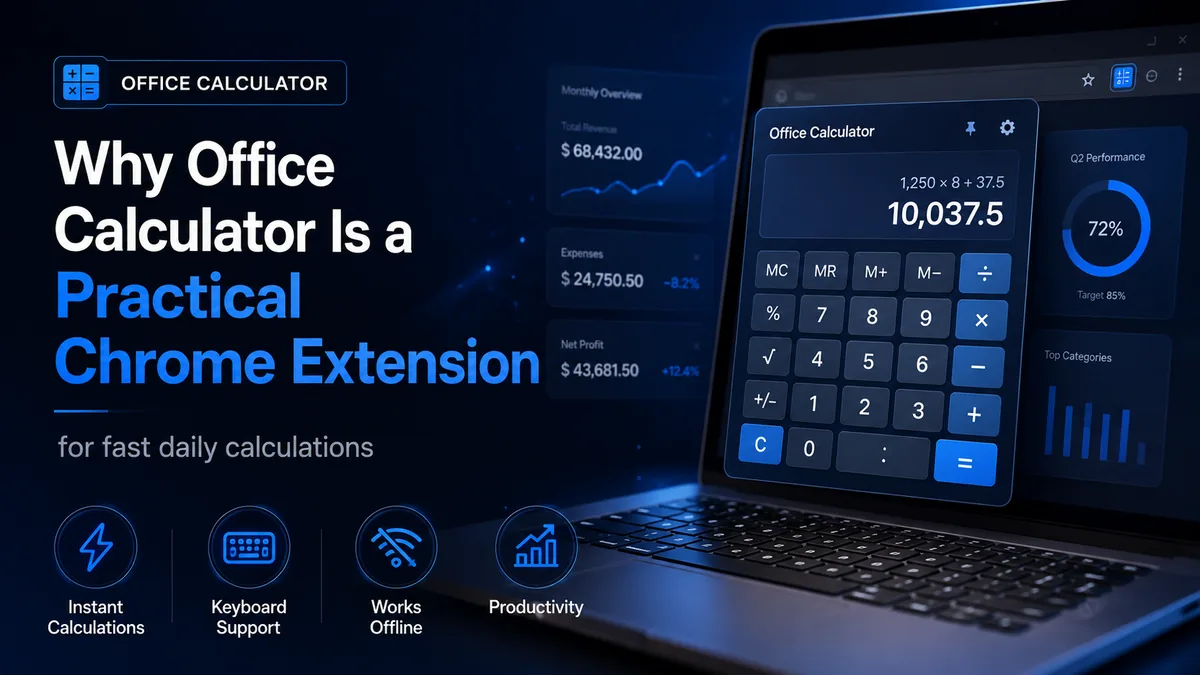
Many people do not need a huge financial platform or a complicated spreadsheet every time they want to add a few figures, compare discounts, check a percentage, or verify a total before sending a message. In real office work, speed matters. That is why small tools can be surprisingly valuable when they remove friction from repetitive jobs.
Office Calculator is one of those small tools. It is a Chrome extension designed to put a practical calculator directly in the browser toolbar. Instead of opening another website, searching for a calculator, or leaving the tab you are already using, you can open a focused calculator instantly and finish the task. Based on its current Chrome Web Store description, the extension emphasizes fast access, local privacy, keyboard support, business percentage tools, history, memory controls, themes, and offline use.
What makes it useful in everyday work?
The strongest point of Office Calculator is not simply that it can add and subtract. Almost every calculator can do that. Its real advantage is convenience. If you regularly work with emails, purchase requests, invoices, discounts, expenses, quotations, or quick comparisons, the extension saves time because it stays one click away inside Chrome.
This matters for office assistants, students, sales staff, teachers, freelancers, business owners, and anyone who spends the day in the browser. A calculator that opens instantly may sound small, but over a week it reduces interruptions and helps you stay in the same workflow.
Useful features highlighted in the extension
- Standard calculations: addition, subtraction, multiplication, division, percentages, square root, and positive/negative number control.
- Business percentage tools: discounts, tax totals, markup, profit margin, percentage increase and decrease, and other common percentage-based tasks.
- Calculation history: useful when you need to review or reuse a recent result.
- Memory controls: helpful for comparing values or storing a figure while calculating something else.
- Keyboard support: one of the most practical features for people who prefer typing to clicking.
- Offline use: convenient when your internet connection is slow or unavailable.
Why keyboard support matters
Many popup calculators look attractive but become slow because every number must be clicked with the mouse. Office Calculator supports number keys and common controls such as Enter, Backspace, Delete, and Escape, which makes it more practical for serious daily use. That means it behaves more like a real desktop tool and less like a novelty widget.
If you are already working in spreadsheets, invoices, or emails, this keyboard-friendly design can make the extension more comfortable than switching to a separate browser tab.
Where this extension fits best
Office Calculator is especially suitable for quick office and study tasks:
- checking invoice totals before sending a message,
- calculating discounts and tax on purchase prices,
- reviewing markup or margin during product pricing,
- confirming totals while preparing a report,
- verifying values while using EnglishTemplates.com business letters or financial request formats.
If your work mainly involves quick practical calculations rather than advanced accounting or spreadsheet modeling, this type of extension can be enough most of the time.
Privacy and simplicity
Another positive point in the current store listing is the local-first privacy approach. The extension says calculations, history, memory values, and theme preferences stay locally in the browser. It also states that no account is required and that the tool does not request access to browsing activity. For a simple utility, that kind of minimalism is a strength.
People are increasingly cautious about installing browser tools. An extension that stays focused on its own task and avoids unnecessary permissions is easier to trust than one that asks for unrelated access.
Possible limitations to keep in mind
Office Calculator is intentionally lightweight. That is good for speed, but it also means it is not meant to replace a full spreadsheet, accounting package, or specialist finance tool. If you need saved workbooks, charts, multi-step models, or collaborative calculations, you will still need larger software.
However, that is not a weakness if you judge the extension for the correct job. Its purpose is fast daily calculation, not complex financial planning.
Who should consider it?
This extension looks particularly suitable for users who spend most of the day in Chrome and want a quick utility that feels private, fast, and easy to open. It is a practical recommendation for:
- office workers handling routine numbers,
- small business users comparing prices and taxes,
- students solving quick numeric tasks,
- freelancers who invoice clients or estimate work,
- anyone who simply wants a reliable toolbar calculator.
Recommendation
If you want a simple calculator that lives inside Chrome and focuses on real everyday tasks, Office Calculator is a practical option to review. It appears best suited to people who value speed, keyboard input, local privacy, and a clean tool for daily numbers rather than a bloated interface with unnecessary extras.